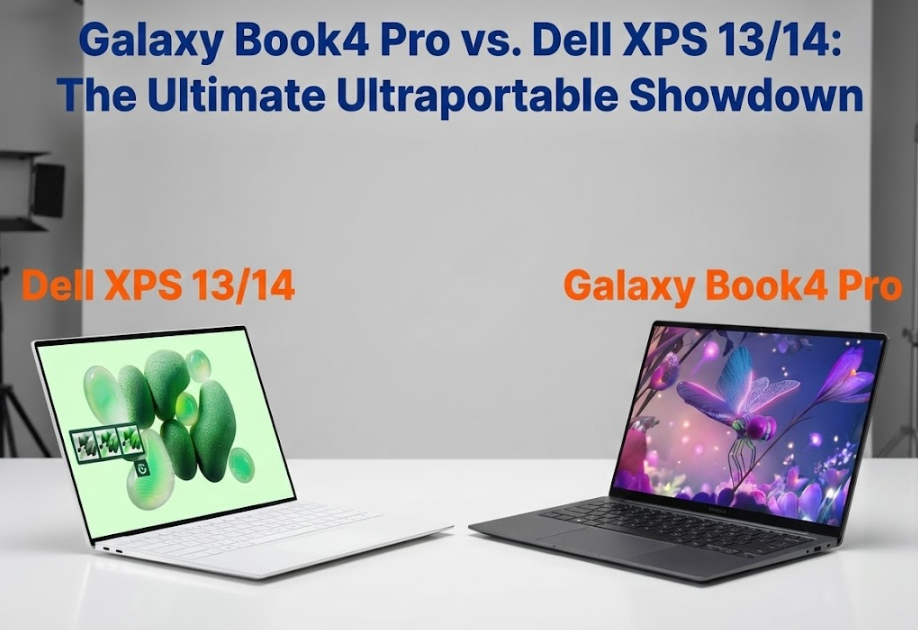
In the 2025 Windows high-end thin and light laptop market, there is an interesting phenomenon:
In most people’s minds, there are only two things that truly represent “flagship thin and light laptops”: Dell XPS, and “everything else except XPS”.
But this pattern is changing.
Samsung’s approach to “entering the thin and light laptop market” with the Galaxy Book series in recent years has been very clever. Instead of directly competing with Dell in terms of hardware components or heat dissipation structure, it has fully transplanted its core advantages in mobile phones and tablets—top-tier AMOLED screens, cross-device collaboration capabilities, and Galaxy ecosystem connectivity—to laptops, forming an experience loop that is comparable to the “Apple ecosystem”.
But the essence of a computer remains a productivity tool. For many users, keyboard feel, chassis strength, screen durability, heat dissipation, and even after-sales service are more important than ecosystem connectivity. If you’re not a Galaxy phone user, or if you need a purer, more stable, and more resilient work tool, then Dell’s XPS high-end laptop series , as the industry benchmark in the Windows world , still holds an unshakeable position in the industry.
Therefore, this is a very interesting matchup:
When the “strongest screen + smoothest ecosystem” meets the “strongest technology + most stable performance release”, who will be the king of thin and light laptops in 2025?
Below, we will break it down in depth from five key dimensions: screen, ecosystem, build quality, user experience, performance and heat dissipation.
I. Screen Showdown: Samsung AMOLED vs Dell OLED – A “High-End Civil War” Among Their Own Companies
This segment can be described as a battle of titans, as the OLED panels for the Dell XPS also largely come from Samsung.
Even so, Samsung still reserved its “best AMOLED panel” for the Galaxy Book4 Pro.
Samsung Galaxy Book4 Pro: Dynamic AMOLED 2X, the pinnacle of mobile technology.
As someone who has used Samsung flagship phones for a long time, when I first opened the Galaxy Book4 Pro, the vibrant colors and the purity of its deep blacks really gave me the feeling that “this is not a laptop, it’s a large mobile phone screen.”
The core advantage lies in:
Dynamic AMOLED 2X panel (same as the one used in the Galaxy S series)
Native 120Hz dynamic refresh rate
HDR peak brightness is extremely high
The anti-glare coating is exceptionally strong, maintaining good visibility even when working outdoors.
In particular, its anti-glare performance is excellent. In a real-world test at a coffee shop near a window, the Book4 Pro showed almost no glare, while the Dell XPS exhibited a noticeable mirror-like reflection.
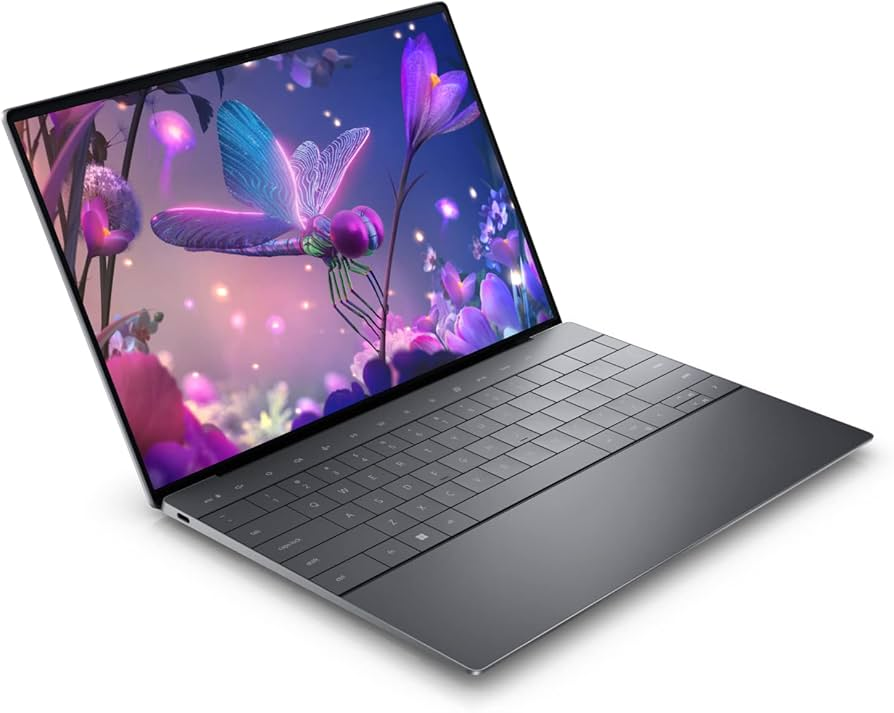
Dell XPS 13/14: Unbeatable screen-to-body ratio, stunning design aesthetics.
Although the panel quality is comparable, the Dell XPS has two trump cards:
InfinityEdge Four-Sided Micro-Bezel
3.5K OLED ultra-high resolution optional
The XPS screen offers a more immersive visual experience. When you first open the lid, you’ll genuinely exclaim, “How can the bezels be so narrow?”
In summary:
Samsung wins in image quality, brightness, and anti-glare performance;
Dell wins in industrial design, bezels, and resolution.
The overall difference is not significant, but Samsung has a slight edge.
II. Ecosystem and Connectivity: Galaxy Ecosystem vs. Windows Pure Experience
This is the most fundamental difference in concept between the two computers.
Samsung: The Windows brand that most closely resembles the “Apple ecosystem”
If you use a Galaxy phone, you’ll understand what I’m about to say:
Samsung laptops aren’t just selling computers; they’re selling a “seamless multi-device experience.”
The most common functions used in daily life include:
Quick Share : Transfer hundreds of photos between your phone and computer in a second
Multi Control : Control your Galaxy phone/tablet with your laptop’s keyboard and mouse.
Second screen (tablet becomes an extended display)
Automatic hotspot, cross-device clipboard, call handover
These features combined truly make the Galaxy Book the only thin and light laptop in the Windows camp that “has the feel of the Apple ecosystem”.
However—
all of this only works with Galaxy phones and tablets.
instantly become unusable once you switch to an iPhone, Xiaomi, or Vivo .
Dell: The purest and most universal Windows user experience
The core concept of XPS is:
No fancy stuff, just Windows doing what Windows is supposed to do.
Phone Link (formerly Dell Mobile Connect) supports all Android and iOS devices.
It will not pre-install a large number of vendor ecosystem software.
More suitable for “hybrid device users” (iPhone + Windows)
If you’re an iPhone user, XPS is actually smoother to use.
In summary:
Samsung has a strong ecosystem, but it’s closed;
Dell is more versatile, but its features aren’t as deep.
It depends on whether you’re a Galaxy user.
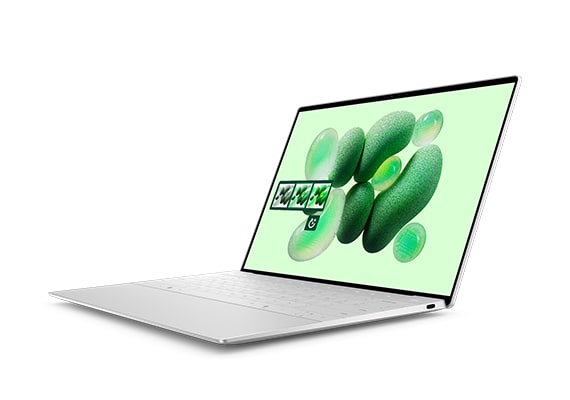
III. Body Craftsmanship and Materials: The Limits of Slimness and Lightness vs. the Pinnacle of Craftsmanship
This part is almost a foregone conclusion:
the Dell XPS is the benchmark for industrial design in the Windows world.
But Samsung also has its own pursuit of excellence.
Samsung Galaxy Book4 Pro: Ultra-thin and Lightweight
This is the 14-inch laptop I’ve ever used that feels the least like a 14-inch laptop in terms of weight.
Weighing as little as 1.2kg
Thin and light at near-extreme levels of thickness
Suitable for students, writers, and mobile office workers who carry their laptops around every day.
However, its thinness and lightness come at two costs:
The chassis rigidity is not as good as the XPS
The keyboard area will deform slightly when pressed.
Its heat dissipation capacity is relatively weak (more on that later).
�� Dell XPS: Industry-leading chassis build quality
Simply put:
Holding an XPS feels like holding a solid, cold piece of metal art.
CNC cut machine body made from a single piece of aluminum alloy
Carbon fiber/glass palm rest
Edge brushing process
The screen hinge is as stable as an old dog.
Holding the XPS 14 in your hand gives it a “flagship look,” even sharper and more futuristic than the MacBook Pro.
The drawbacks are also quite simple:
Much heavier than Samsung
More expensive
In summary:
If you want something lightweight and thin, choose Samsung;
if you want a premium feel, choose Dell;
if you want to show off, Dell wins.
IV. Keyboard and Touchpad: Stable Feel vs. Radical Experimentation
Samsung: Stable, familiar, and error-free.
Standard chiclet keyboard
Moderate key travel
Layout without risk
Large glass touchpad with a smooth feel
Suitable for office workers, copywriters, and word processors.
Dell XPS: Sci-fi design, but not user-friendly for some.
The design of the last two generations of XPS has been very radical:
Invisible touchpad (no physical boundary, relies on tactile feedback)
Seamless button design
Minimalist layout
It’s visually stunning, but in actual use, I encountered two problems:
Blind typing requires an adaptation period
The invisible touchpad may be accidentally pressed when you first start using it.
If you are a programmer/journalist/long-time writer, you need to think carefully.
V. Performance Release and Heat Dissipation: Slim and Lightweight vs. Stable
This is Samsung’s weakness.
Samsung Galaxy Book4 Pro: It can run, but it’s not a “beast”.
Due to the limitations of a slim and lightweight design:
Small heat dissipation space
The fan is quiet (but this limits performance).
Performance release prioritizes “quiet” and “stable” rather than “extreme”.
Suitable for office work, editing light videos, image processing, and light AI tasks.
Dell XPS: A More Aggressive Performance Strategy
Dell’s cooling system is more mature:
Dual-fan large-area structure
Better heat dissipation module
Performance release can be sustained at higher levels
This caused XPS to:
3D graphics
Long-term compilation
Multi-tasking throughput
Professional software (such as Premiere, Blender)
Both will be significantly stronger.
Final conclusion: The answer is in your pocket.
This statement is not an exaggeration at all.
If you are using a Samsung Galaxy phone
You prioritize the Galaxy ecosystem collaboration experience:
File transfer in seconds
Clipboard synchronization
Tablet as an extended screen
Unified control of multiple devices
is something only Samsung can achieve.
→ Choose the Galaxy Book4 Pro, you’ll be blown away.
If you are using an iPhone or other Android device
The ecological advantage is completely negated. At this point, you should look at:
work
fuselage strength
Keyboard Touch Experience
Scalability
Performance release
These XPS units are all more powerful.
→ You won’t regret choosing the Dell XPS 13/14.
In short:
Are you a Galaxy user? Buy a Samsung.
Aren’t you? Buy an XPS.
Do you want the most beautiful Windows laptop? Then buy an XPS.
Want the lightest, most “all-in-one” experience? Samsung wins.