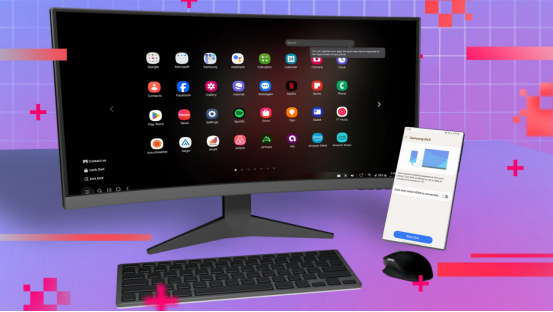
In the era of mobile office, do we really need traditional laptops? Samsung’s DeX (Desktop Experience) mode tries to answer this question-with just a data cable, your Galaxy phone can be transformed into a lightweight PC. After two weeks of in-depth experience, let me tell you: Can it really replace a computer?
DeX first experience: seamless switching from mobile phone to desktop
DeX’s connection method is very simple and supports several different connection options:
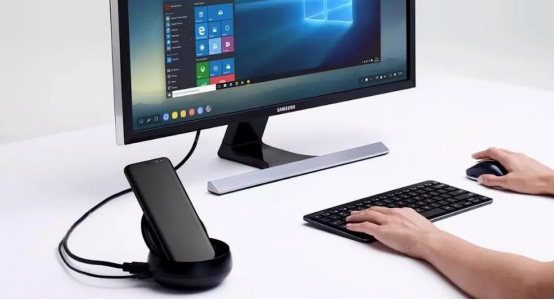
Wired mode: connect to the display via USB-C to HDMI, or directly plug into a compatible display.
Wireless mode: supports Miracast protocol and can wirelessly connect to supported TVs or monitors.
DeX application on PC/Mac: You can run the mobile phone interface on the computer and connect the mobile phone and PC through software.
According to actual measurements: wired connection has the lowest latency, which is suitable for efficient keyboard and mouse operation; while wireless mode is more suitable for demonstration and display, although the latency is slightly higher.
Desktop experience: Is it really like Windows or macOS?
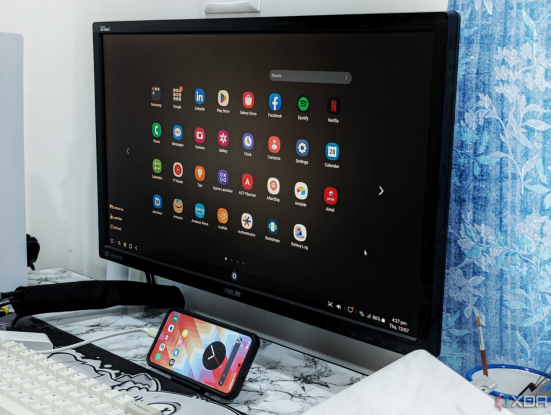
DeX’s interface is very close to traditional desktop operating systems, supporting free drag and drop of multiple windows and a taskbar + start menu layout. Users can fully adapt through the keyboard and mouse, including using shortcut keys such as Ctrl+C and Ctrl+V. In addition, DeX supports file drag and drop transfer, allowing two-way operation between the phone and the display.
In the experience, when DeX is connected to an external 4K display, the system automatically optimizes DPI scaling to ensure clear image display. The phone can also be used as a trackpad or virtual keyboard, which increases the flexibility of operation.
Office capability test: Can it handle complex tasks?
I tried to use DeX to complete a day’s work. Here are the performances of different tasks:
Document processing: Microsoft Office (Word/Excel/PPT) runs smoothly on DeX, which is suitable for daily office use, but the speed is slightly slow when loading files in complex formats.
Web browsing: The Chrome browser on DeX supports plug-ins and can open multiple tabs at the same time, with good performance (the test device is an 8GB memory model).
Light design: Canva and Photoshop Express run smoothly, but for advanced design software like Lightroom and Photoshop Professional, DeX’s performance is still limited and cannot provide full functionality.
Code writing: It is possible to use Termux and VS Code for basic programming work, but the lack of a complete IDE environment makes it suitable for simple development and debugging, but not for complex programming tasks.
Conclusion: DeX is suitable for light office tasks, such as word processing, emails, and video conferencing, but its performance is still limited for professional design software and high-complexity programming tasks.
Entertainment and creativity: More than just an office tool
DeX is not only an office tool, but also provides entertainment and creative functions:
Cloud gaming: Through Xbox Cloud Gaming, DeX provides a full-screen gaming experience close to the host, and the gaming experience is relatively smooth.
Video editing: CapCut and LumaFusion can handle 1080P projects, which is enough to meet daily video editing needs.
Music production: FL Studio Mobile can be connected to a MIDI keyboard for use, which is suitable for basic music creation.
Remote control: DeX supports remote control software such as TeamViewer and Parsec to realize PC streaming function.
Among them, the most interesting is: connect your phone to the hotel TV and play “Genshin Impact”, with the phone acting as a controller, bringing a new experience to the game.
Limitations: Which scenarios are not suitable?
Although DeX has many advantages, it also has some limitations:
High performance requirements: DeX has limited processing capabilities for high-performance tasks such as 3D rendering, 4K video editing, and large compilation, which are more suitable for dedicated high-performance PCs.
Professional peripheral dependence: DeX does not fully support some professional peripherals, such as digital tablets, multi-screen output, or high-speed storage devices.
Enterprise-level applications: Some VPNs or encryption software cannot be adapted to DeX, which may affect the user experience of enterprise users.
In addition, I tried to use DeX to run Zoom and OBS for live broadcast at the same time, but the system overheated and throttled, and the live broadcast task could not be completed smoothly.
Which Galaxy devices are best for DeX?
In my experience, the following devices perform particularly well when using DeX:
S24 Ultra: With 16GB of memory, it can easily handle multitasking operations and is suitable for dual use for work and entertainment.
Tab S9+: The tablet can be quickly converted into a two-in-one computer, which is highly efficient.
Fold5: A large-screen foldable phone that can be unfolded into desktop mode for easy multitasking.
Final conclusion: Who should try DeX?
DeX is suitable for the following users:
Frequently traveling light office users: Suitable for processing daily documents and emails, without the need to carry a bulky laptop.
Students: Use mobile phones to write papers or conduct daily studies in the library, eliminating the trouble of traditional notebooks.
Corporate customer service/sales: DeX can meet the needs of basic office systems.
But for professional creators and programmers, since DeX still cannot completely replace PCs, especially when using professional design software or performing complex programming, its functions are still insufficient.
Have you used DeX? How is your experience?