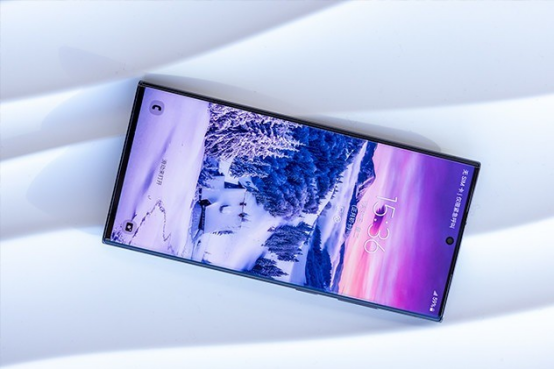
With the popularity of smartphones, screens have become an indispensable part of our daily lives. Today, with the continuous advancement of screen technology, AMOLED screens have become standard configurations for high-end mobile phones with their bright colors and deep black performance. However, is the dimming method of AMOLED screens, especially PWM (pulse width modulation) dimming technology, really harmless to the eyes as advertised? Let’s do a test today to see whether Samsung AMOLED screen PWM dimming protects the eyes or hurts the eyes.
What is PWM dimming?
On AMOLED screens, the dimming technology is slightly different from that of traditional LCD screens. AMOLED screens themselves support each pixel to emit light individually, so the brightness control of the screen is achieved by adjusting the brightness of each pixel. PWM (pulse width modulation) dimming is a common dimming method that achieves different brightness levels by quickly switching the brightness of the backlight. Specifically, PWM dimming simulates different brightness outputs by adjusting the frequency of switching.
This dimming method is common in many smartphones, TVs, and monitors, but its working principle has caused some controversy, especially the impact on eye health.
Samsung AMOLED screen PWM dimming test
In order to more intuitively understand the impact of PWM dimming on the eyes, we conducted actual tests on several common Samsung AMOLED mobile phone screens. The tested devices include Samsung Galaxy S21, S22 and S23 series. We use professional screen test tools to measure the PWM frequency and flicker perception of the screen.
PWM frequency and brightness setting
Low brightness setting (about 30%): When the screen brightness is lowered to about 30%, the flicker frequency of the PWM frequency is greatly increased, about 240Hz to 300Hz, which means that the screen frequently switches on and off, and the possibility of causing discomfort to the eyes increases.
High brightness setting (about 100%): When the screen brightness is set to 100%, the PWM frequency is significantly increased to more than 800Hz. At this time, the flicker frequency is high enough that the naked eye can hardly perceive the flicker of the screen, and the impact on the eyes is theoretically reduced.
Flicker perception test
Through a series of flicker tests, we found that when Samsung’s AMOLED screen is running at a lower brightness, many users said they can feel the flicker of the screen, especially in night environments. Flickering may cause eye discomfort, and even symptoms such as headaches and eye fatigue after long-term use.
Comparison with other brands of AMOLED screens
Compared with some other brands of AMOLED screens (such as OnePlus, Xiaomi, etc.), Samsung’s PWM dimming frequency is generally higher, but there are still some flickering problems at low brightness. At 100% brightness, Samsung’s screen performs relatively well, and the flickering phenomenon is not obvious.
The debate between PWM dimming and eye protection
Eye protection theory:
For many users, AMOLED screens are colorful and high in contrast, and PWM dimming can effectively reduce brightness within a certain range, thereby reducing energy consumption. Therefore, when designing AMOLED screens, Samsung ensures that the PWM dimming frequency in its high brightness mode is high enough to reduce eye stimulation.
In addition, many high-end devices have adopted more advanced PWM dimming technology, such as increasing the frequency to more than 1000Hz, and even using DC dimming technology to avoid flickering problems.
Eye injury problem:
PWM dimming will produce obvious flickering at low brightness, and long-term use of the screen may cause eye fatigue and even affect vision. Although the eyes cannot directly see this flicker, the visual fatigue and discomfort felt are real. Low-frequency PWM dimming has a particularly large impact on some sensitive users, and may cause headaches, dry eyes, blurred vision and other discomfort symptoms.
How to avoid PWM dimming from damaging the eyes?
Reduce low-brightness use: In a dark environment, try to increase the screen brightness and avoid using the phone at low brightness for a long time. Try to keep the screen brightness above 60%, which can effectively reduce the flicker phenomenon.
Enable night mode or reading mode: Mobile phones from brands such as Samsung usually provide night mode, eye protection mode or reading mode, which can optimize the color temperature and brightness of the screen and reduce eye pressure.
Use an external screen protector: Some screen protectors and screen films can help reduce the perception of screen flicker to a certain extent and improve the user experience.
Conclusion: PWM dimming of Samsung AMOLED screen – is it suitable for you?
Samsung’s AMOLED screen performs well at high brightness, but PWM dimming at low brightness does cause discomfort to some users. If you are a person who is sensitive to PWM dimming, you need to pay special attention to the brightness setting when using Samsung AMOLED screen. Overall, if you are a loyal user of Samsung phones and do not easily notice screen flicker, AMOLED screen is still a very good choice.
But if you are particularly concerned about eye health or are prone to eye fatigue, consider turning on eye protection mode or adjusting the screen brightness to a higher level to avoid long-term use at low brightness, which may help you reduce the discomfort caused by the screen.
AMOLED screen is undoubtedly a technological breakthrough, but whether it is eye-friendly ultimately depends on personal usage habits and sensitivity.