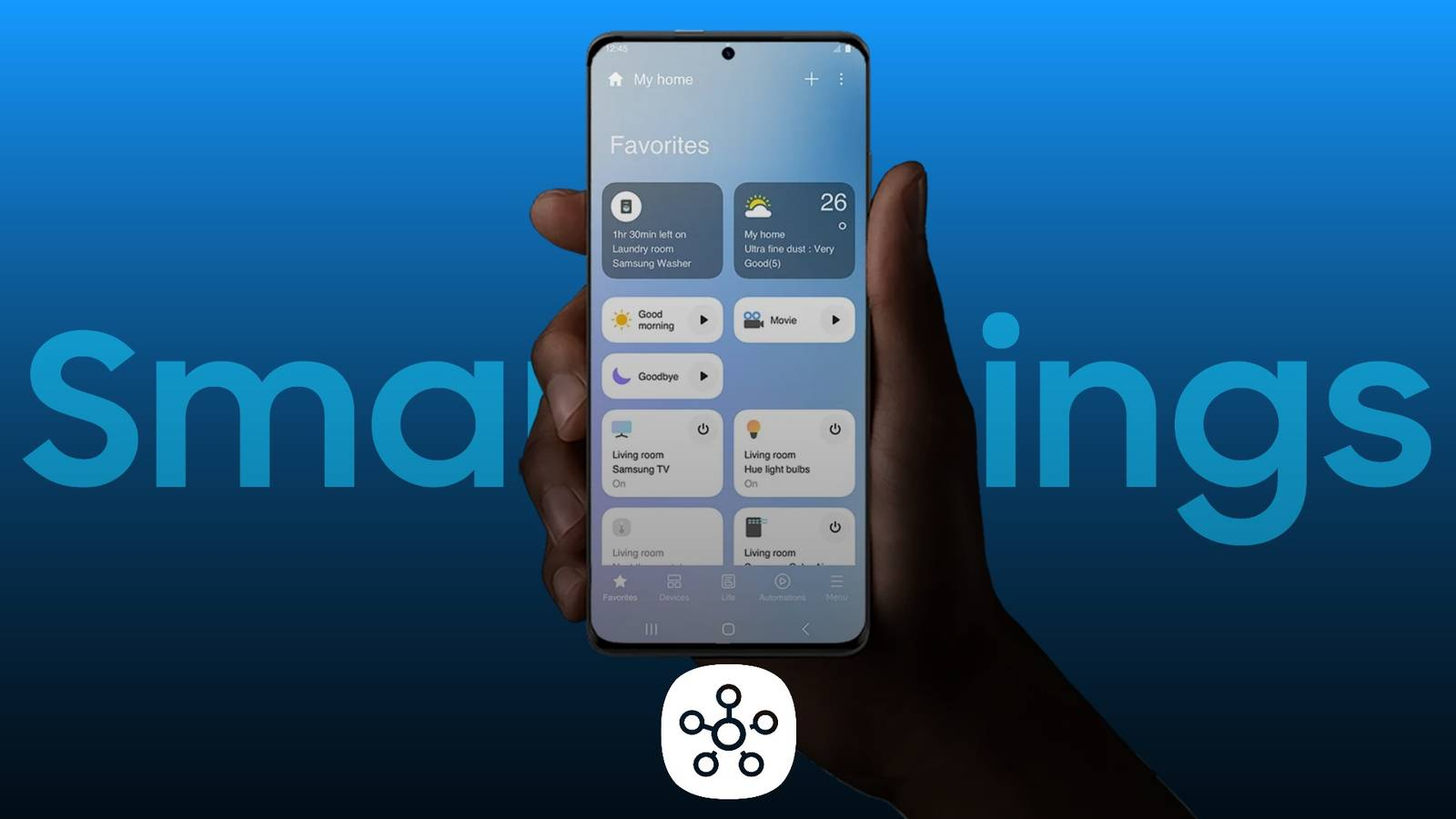
If you’re a Samsung Galaxy phone user, you’ve definitely seen the blue SmartThings icon, often appearing in the drop-down menu. Perhaps you only occasionally use it to locate lost earphones or cast your phone’s content to your Samsung TV. Many people may not realize that SmartThings is actually a super tool that can completely reshape your family lifestyle.
Did you know that by 2025, SmartThings will no longer be just a simple controller for Samsung home products, but one of the most powerful and open smart home platforms in the global Android ecosystem? Thanks to the widespread application of the universal smart home automation protocol (Matter & Thread) , SmartThings has taken the lead in breaking down “brand barriers,” allowing your smart home to not only be limited to Samsung devices, but also support the interconnection of devices from multiple brands such as Google and Apple.
Today, we’ll delve into this “smart home manager” that you might have overlooked, and see how it can seamlessly connect your home devices, break down device barriers, and build a smart home where everything is interconnected.
I. Hardware Hub: The Smart Home “Gateway” You May Already Own
The most crucial step in building a smart home system is choosing a stable “hub .” This is the “brain” that connects all devices and coordinates their control. Unlike other brands that require the purchase of an additional gateway device, Samsung has integrated this functionality into the devices you already have in your home, meaning you may not need to buy any extra hardware at all.
1. SmartThings Station: The Invisible Tool for Dual Identity
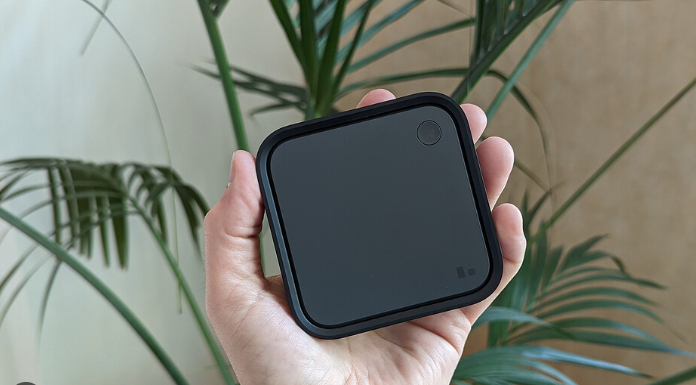
The SmartThings Station looks like a regular wireless charging pad, but it’s compact and powerful. It’s not just a 15W wireless charger for your phone or headphones; it’s also a smart home gateway with built-in Zigbee and Thread modules.
Smart Button : It features a physical button on its surface, whose function can be customized: a single click controls the light, a double click activates sleep mode, and a long press quickly finds the phone. It’s ideal for users without touchscreen experience, offering a more natural interaction.
Discreetly located yet powerfully functional : Placed on a desk, TV stand, or bedside table, it works quietly in the background, managing all the smart devices in your home. Most surprisingly, it supports integration with other Samsung devices (such as TVs and refrigerators) without any additional configuration.
2. “Invisible” gateways: TVs and refrigerators
If you purchased a Samsung Neo QLED TV or Family Hub refrigerator released after 2022, congratulations! They already integrate the SmartThings Hub Dongle. This means that smart lights, sensors, and other devices in your home can be directly connected to SmartThings for unified control.
Advantages : No additional devices need to be plugged in. Once the TV is turned on, all smart devices in your home are connected to the gateway and remain continuously online. Your TV or refrigerator becomes the central hub for your home’s smart control.
II. 3D Map View: A Sci-Fi Control Experience
One of SmartThings’ unique features is Map View , a 3D map view. This is currently the most futuristic and intuitive way to control your home.
Experience: Digital Map of the Home
With SmartThings, you can see 3D models of all your smart devices. It’s not just a static list of devices; it’s more like a virtual floor plan. You can directly click on the light bulbs in the virtual living room to control the lighting in the real world, and even check the temperature information on a map to see which rooms might be overheating. This “God’s-eye view” makes smart home management intuitive and fun.
Automatic floor plan generation : If you have a Samsung robot vacuum cleaner at home (such as Jet Bot AI+), SmartThings will automatically generate a 3D home map based on the robot’s route, making the device’s location clear at a glance.
A smarter management experience : Unlike traditional device lists, 3D maps allow you to not only manage your home remotely, but also anticipate changes in your home environment (such as excessively high temperatures) without the need for on-site inspections.
III. Cross-Brand Connections: The Matter Protocol frees you from the constraints of “brand walls”.
There was a time when you had to choose different smart home platforms based on the brand of your device: Mi Home, HomeKit, Google Home. The devices were isolated from each other, and the operation was cumbersome.
Now, the Matter protocol has changed everything. As long as a device bears the Matter logo, you can easily control various devices across brand boundaries through SmartThings, whether it’s a Philips light bulb, a Google thermostat, or a Yale door lock.
Cross-brand operations: Seamless collaboration
For example, you can use the Bixby voice assistant on your Samsung Galaxy S24 to control an Eve outlet that originally only supported Apple HomeKit (provided the device supports Matter). This frees you from brand limitations, allowing for seamless connectivity as long as your device supports Matter.
Multi-Admin : The same device (such as a light bulb) can be connected to different platforms at the same time. Samsung’s SmartThings and Apple’s HomeKit can control a device at the same time without interfering with each other, truly breaking down the barriers between brands.
IV. SmartTag2: More than just preventing loss, it’s a trigger for smart home automation.
Samsung’s Galaxy SmartTag2 also acts as an automation trigger. With NFC functionality and button control, the SmartTag2 can be a key component of your home’s smart system.
NFC Automation:
You can stick the SmartTag2 on your bedside table, and before going to sleep, simply tap it lightly with the back of your phone to trigger “Goodnight Mode”: turning off all the lights in the room, setting the air conditioner to silent mode, and activating Do Not Disturb mode on your phone. This process requires no additional operation; everything is done automatically.
Button control:
The buttons on the SmartTag2 can also be programmed. For example, you can attach it to your child’s backpack and set it to “send location to parents with a single click,” making it both a tracking device to prevent loss and an emergency contact button for your child.
In conclusion, SmartThings is the “super butler” of smart homes.
The strength of Samsung SmartThings lies in the openness and inclusivity of its platform. It doesn’t require you to replace all your home devices with Samsung; instead, it provides a unified platform that allows you to seamlessly connect and manage smart devices from various brands within a single app.
Simply pick up your Galaxy phone, tap the blue SmartThings icon, and you can see the status of your entire smart home. Through a 3D map view , cross-platform control via the Matter protocol , and the automation features of SmartTag2 , you can easily achieve intelligent home management.
SmartThings makes your smart life simpler, more convenient, and more efficient. Whether you’re at home or out and about, it provides you with services like a smart concierge.
This optimized version of the article aims to emphasize the core value of the Matter protocol and smart home automation , guiding readers to understand SmartThings’ unique position as the central hub of the smart home. Product recommendations are naturally integrated, and an emotionally resonant reading experience is created through user pain points and real-world application scenarios , further enhancing the brand’s professionalism and appeal.